A trusted partner in children's wellness
programming since 1998.
On-site for daycares, schools, and more!


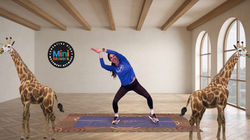
Creative Kids Movement Network brings you on-demand Dance, Yoga, and Fitness classes for kids for ages 2–10!
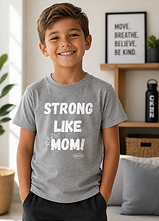
For busy moms, we've created Made for Moms, a series of Dance, Yoga, and Sculpt classes to leave you feeling rested, rejuvenated, and ready for what's next!
The same Creative Kids instructors who bring classes to daycares and schools throughout the US now bring classes right to your home or wherever you go! Join the Movement for healthy kids...and moms!

ONLY $49 FOR AN ANNUAL SUBSCRIPTION!
Join our mailing list for exclusive offers
We're on a mission to get Kids...and MOMS moving!




WHY PARENTS LOVE IT
• Dance, yoga, and fitness classes for ages 2–10
• 10–20 minute instructor-led classes
• Animated videos that teach movement, poses, and coordination
• Kids meditations and calming sleep stories
• Printable activities to support learning off-screen
Active, educational screentime made easy!


WHY MOMS LOVE IT
Weather you're a mom, stepmom, or caretaker of kids, we know how precious your "me" time is, which is why we've created Made for Moms!
Dance classes to take you back to your studio days, yoga classes to help you relax and release stress, and sculp classes to help you tone, all in 20 minutes or less!
✔ Classes led by real instructors who also teach in-person adult classes
✔ Dance, yoga, and sculp classes that leave you feeling rested, rejuvenated, and ready for whatever's next!
✔ Short formats that fit busy schedules


Testimonials

“My three and six-year-old love Creative Kids. The fun instructors and creativity keep them engaged, and I love that they are being active instead of sitting on the couch.”
— Liz, Rochester NY
“In the cold months, my kids are indoors more than out. They have so much energy to burn, so when I found Creative Kids, I decided to give it a try. Best decision! The videos are cute, creative, and keep their attention, and great for helping to expend their energy!”
— Jen, OH
“I got the videos for my daughter, but I enjoy doing them with her! It's a fun way for us to connect, and I'm able to get in some much needed movement!”
— Wendy, AZ
“My daughter takes dance class. These classes are a fun way to keep her moving and for her to get in extra practice at home.”
— Alisa, Raleigh, NC
Frequently Asked Questions

Add Creative Kids to your Phone, Tablet, or Home Screen on Any Device!
Mirroring from your mobile device to your TV screen:
-
Ensure devices are on the same Wi-Fi.
-
Swipe down for Quick Settings and tap Screen cast, Smart View, or similar.
-
Choose your TV; your whole screen mirrors.
Screen Mirroring (iPhone/iPad) (AirPlay)
-
Ensure devices are on the same Wi-Fi network.
-
Open Control Center, tap Screen Mirroring, and select your AirPlay-enabled TV (Apple TV, some smart TVs).


Give your kids movement, confidence, and creativity.

Giving Back to Our Communities!
Every subscription helps bring movement, joy, and creativity to kids who need it most. A portion of our revenue funds scholarships, free classes, and supplies for underserved and differently abled children. Together, we’re spreading smiles and making a real difference!